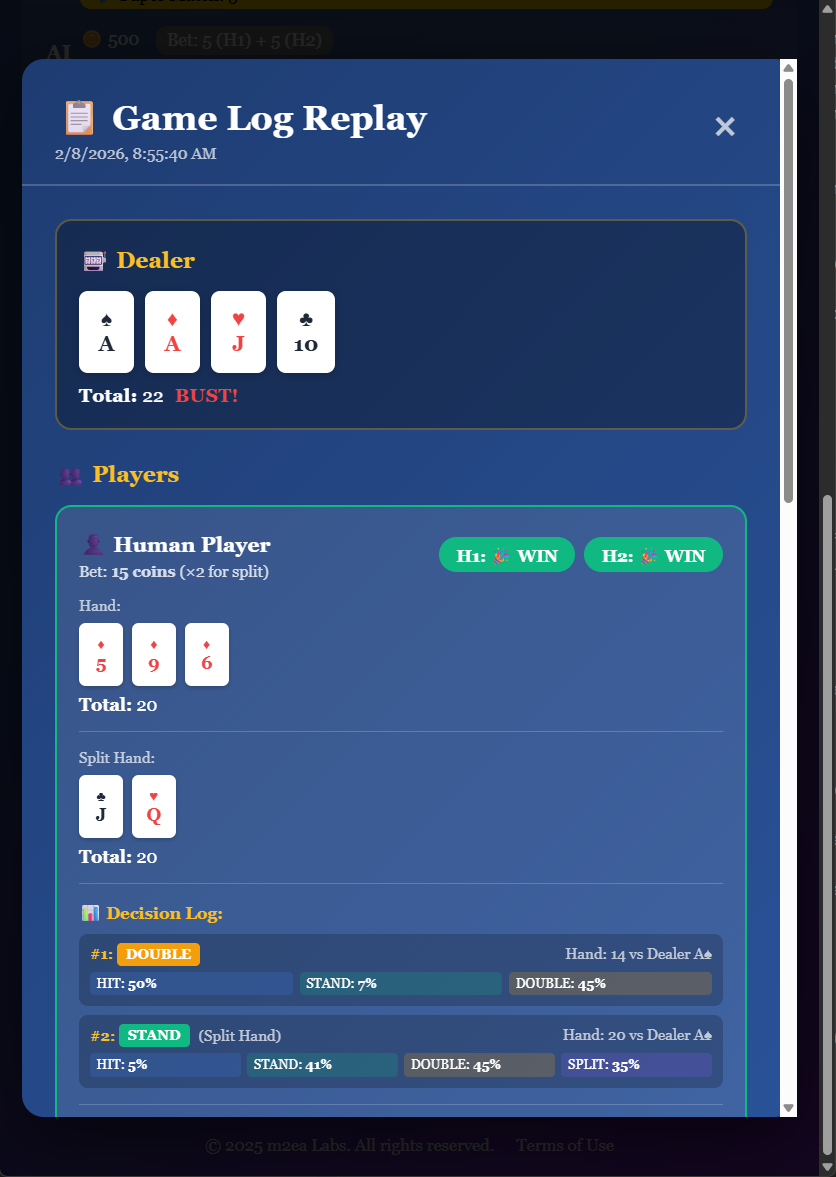
After Completing a Game:
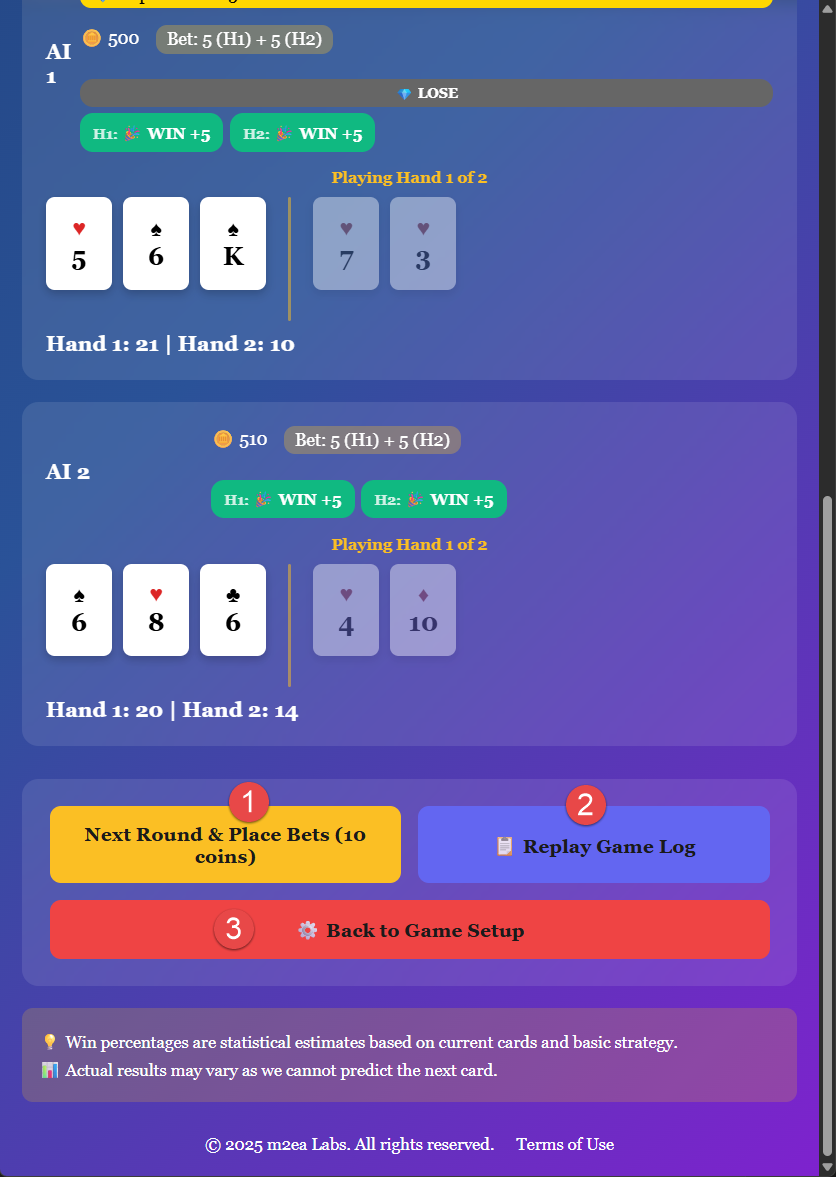
1. Bet 10 Coins and Play Again
You can quickly start a new game with the same settings by betting 10 coins (5 coins per hand) and playing another round. This is the fastest way to continue playing Blackjack Switch.
2. Check the Game's Log
When you click on "Replay Game Log", you can check all the steps of all players' game play logs. This comprehensive feature allows you to:
- Review the initial card deals for both hands
- See the switch decisions made by you and AI players
- Analyze each playing decision for both hands
- View the exact sequence of cards dealt
- Understand how different switch strategies affected outcomes
- Learn optimal switching patterns
- Compare your strategy with AI players
3. Return to Game Setup
You can go back to the game setup screen if you want to change the number of decks, adjust the number of AI players, or return to the main menu to select a different game.
Game Log Details for Blackjack Switch:
The replay game log for Blackjack Switch provides even more detailed information than regular blackjack because it includes the switching phase. You can see:
- Original card deals (before switching)
- Switch decisions and resulting hands
- Step-by-step actions for Hand 1
- Step-by-step actions for Hand 2
- Dealer actions and final hand
- Results for both hands
- Super Match side bet results (if applicable)
- All AI players' switching and playing decisions
Why Review Blackjack Switch Logs?
The game logs are particularly valuable in Blackjack Switch because the switching decision adds a unique strategic layer. By reviewing logs, you can learn which switching patterns lead to better outcomes, understand when to keep cards versus switch, see how AI players approach the switch decision, and improve your overall strategy for this unique variant.
Learning from Patterns:
Over time, reviewing multiple game logs helps you identify successful switching patterns, recognize dealer upcard considerations, understand risk-reward tradeoffs, and develop a consistent strategy for card switching decisions.