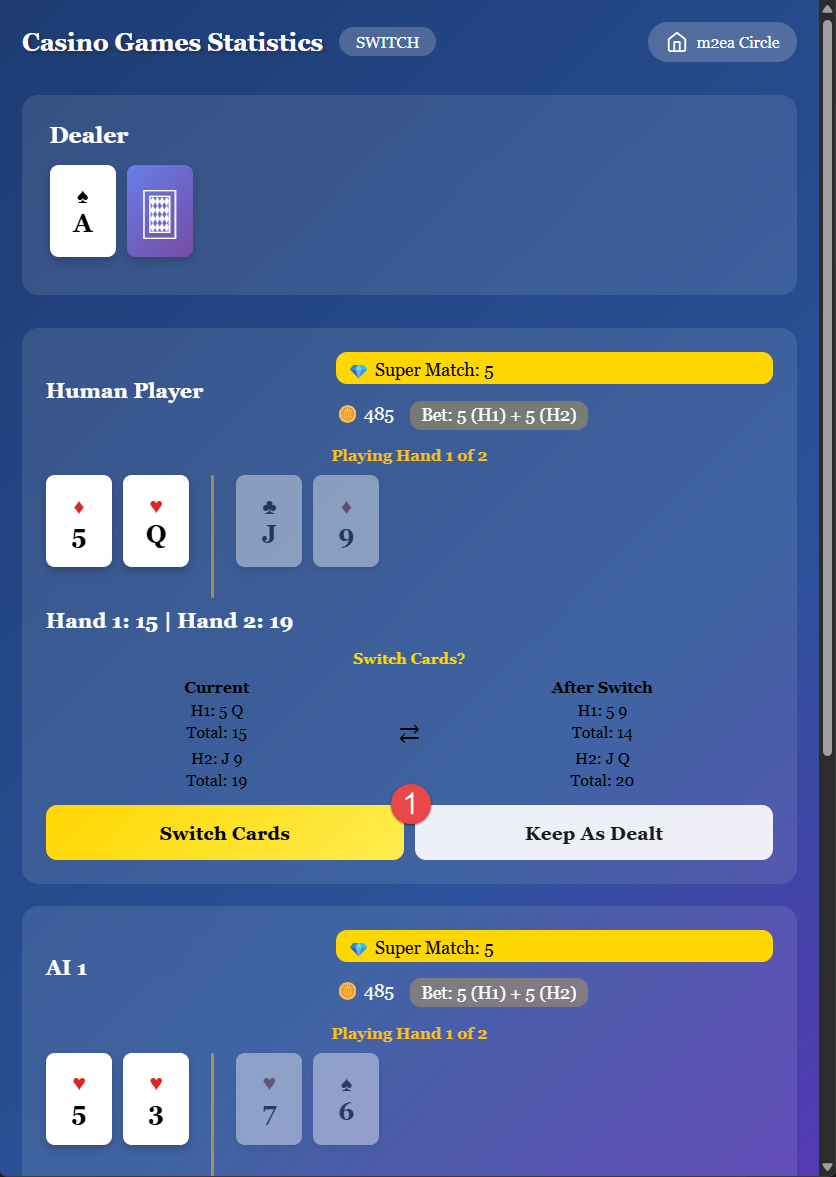
Switch Card Decision:
The Unique Feature of Blackjack Switch
Before playing your hands, you can select to switch cards or keep them as dealt. This is the defining feature of Blackjack Switch that gives you a strategic advantage.
How Card Switching Works:
- You receive two pairs of cards (four cards total)
- You can switch the second card of each hand
- This can turn weak hands into strong ones
- Make your switch decision before playing the hands
Strategic Considerations:
Consider switching when it improves both hands, creates a blackjack opportunity, avoids busting a hand with a high card, or optimizes your chances against the dealer's upcard.
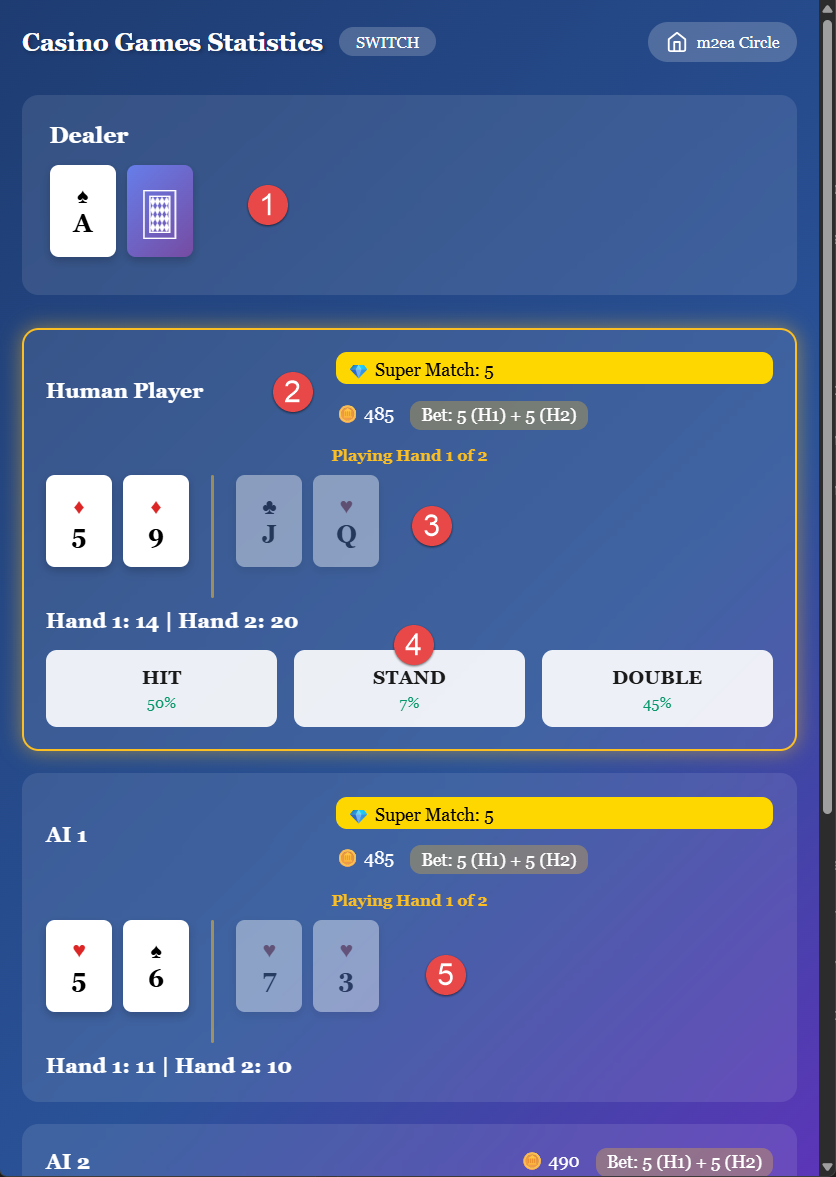
Game Play:
1. Dealer's Area
The top area displays the dealer's cards. The dealer follows standard blackjack rules.
2. Your Coins and Bet Display
You can check your current coin balance and the total amount you've bet for the current game (10 coins for both hands, plus any side bet).
3. Your Cards
Your two hands are displayed in your playing area. You'll play each hand sequentially after making your switch decision.
4. Action Buttons
Use the action buttons to Hit, Stand, or Double Down. The Blackjack Switch version doesn't allow splitting to avoid statistical complexity, as this app was developed for study purposes.
5. AI Players' Area
View the AI players' hands and their actions. AI players also get the switch option and follow strategic guidelines.
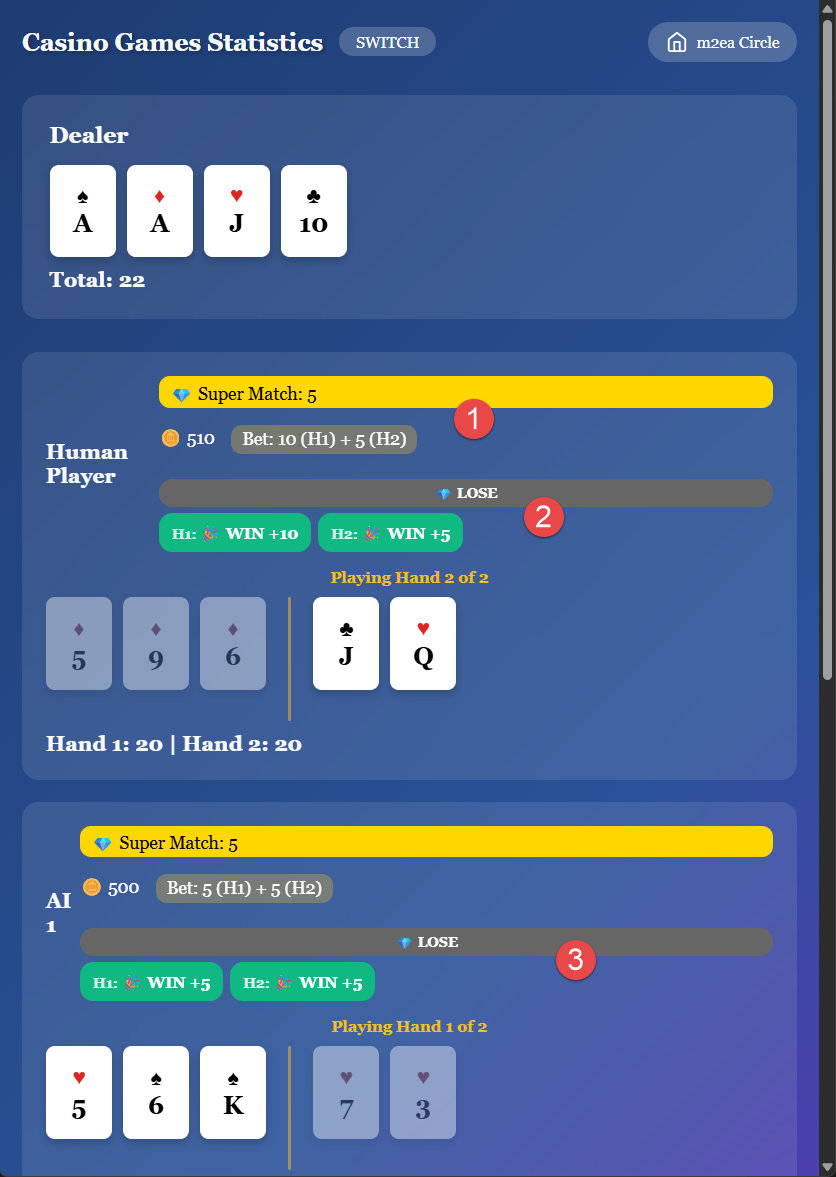
Game Result:
1. Your Bet Coins
The total amount you wagered on this game (10 coins for both hands, plus any side bet).
2. Your Game Result Coins
Your total winnings or losses from both hands combined. Each hand is evaluated separately against the dealer.
3. AI Players' Results
View how the AI players fared with their switch decisions and gameplay. This provides insights into different switching strategies.
Special Rules in Blackjack Switch:
- Dealer hitting soft 17 may vary by implementation
- Natural blackjack may pay 1:1 instead of 3:2
- Dealer 22 may push (tie) instead of bust
- These rule modifications balance the switching advantage