Test Screen Features:
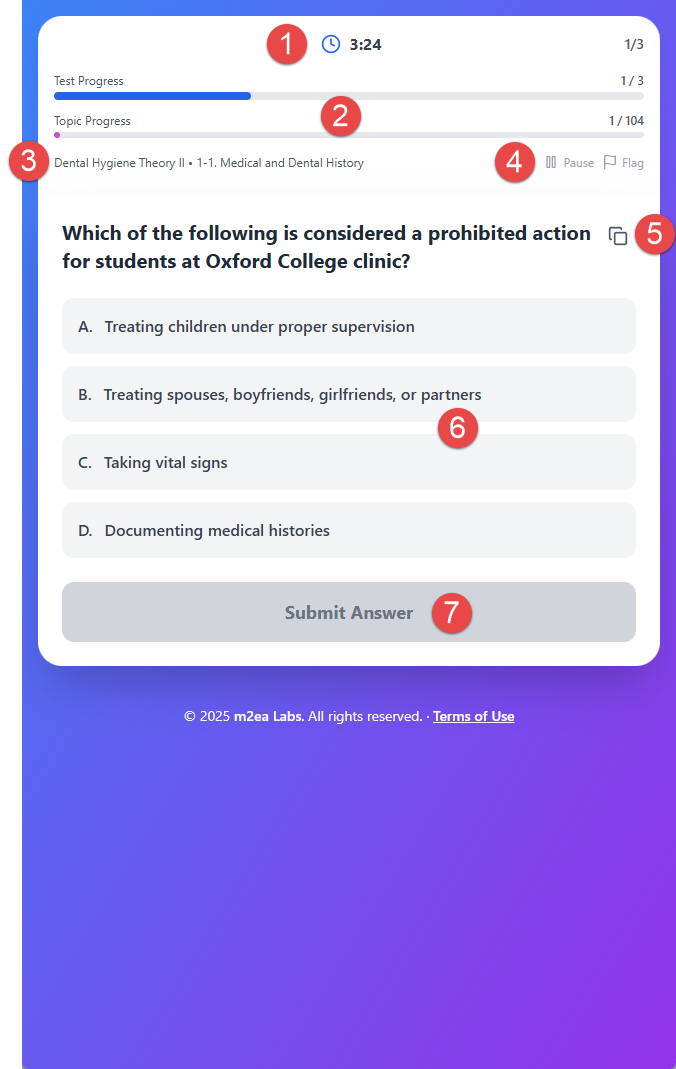
1. Timer
Each question has a 70 seconds limitation. If you input 3 questions for the test, a total 210 seconds limitation will be counted.
2. Progress Tracking
You can check Test Progress (selected question numbers) and Topic Progress (Topic's total questions).
3. Subject and Topic Display
You can check the selected Subject and Topic.
4. Pause and Flag
You can pause the test process or flag the current question.
5. Copy Question
You can copy the question and 4 multiple answers.
6. Select Answer
Choose your answer from the multiple choice options.
7. Submit Answer
Submit your answer for the test result.
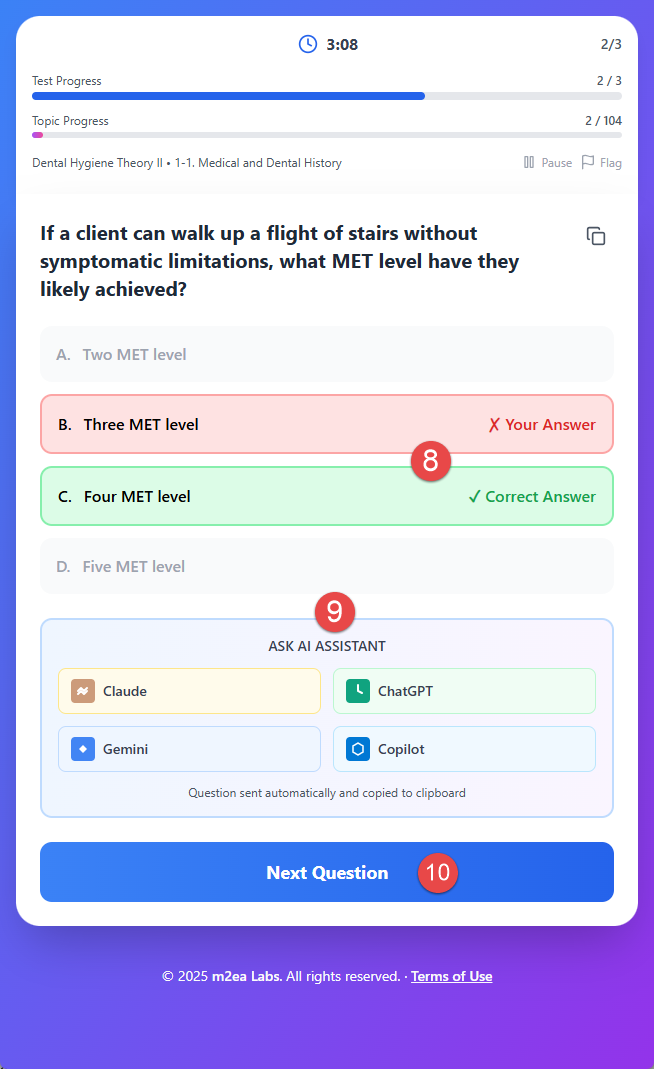
8. Check Results
After submitting your answer, you can check the test results. If you want to know detailed information or explanation, you can click the AI icon for the details.
9. AI Assistance
The Dental Hygiene Test Bank will send the question and multiple answers to the selected AI website, but if it cannot be transferred to the AI website because of security, you can copy and paste to the AI website.
10. Continue Testing
After confirmation, click the Next Question button for the continuous test.