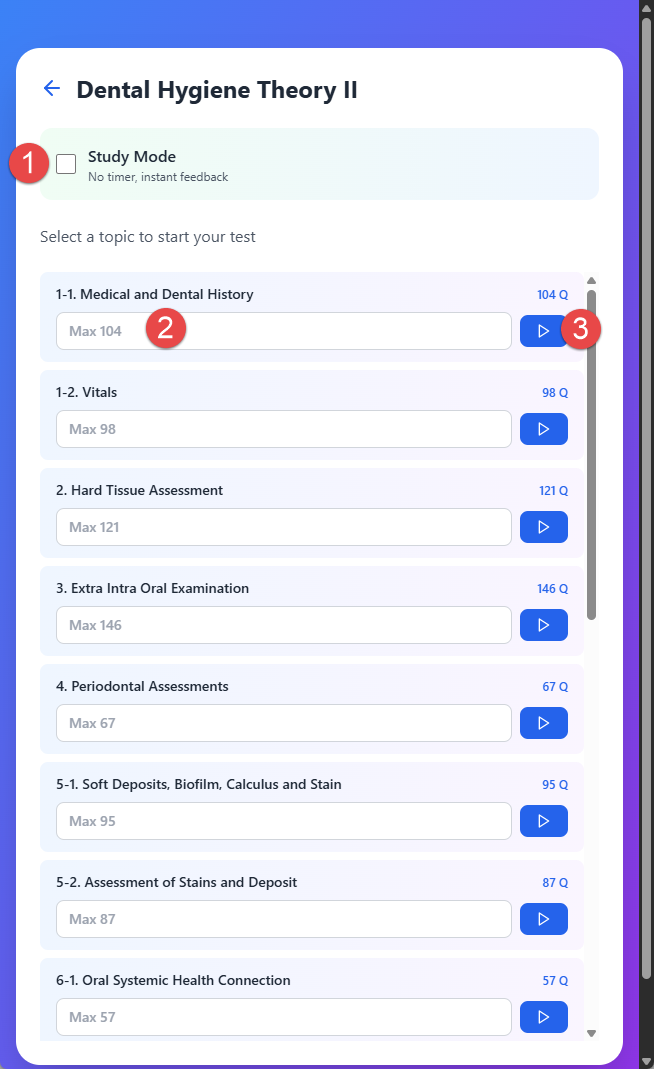
Starting a Lesson Test:
1. Select a Subject
When you click a Lesson's subject, you can start a test after selecting a topic.
2. Study Mode Option
If you check the 'Study Mode', there is no time limit.
3. Number of Questions
Enter the number of questions you wish to solve, or simply start the test for a full test. If you enter a number, the Dental Hygiene Test Bank web app will provide questions corresponding to the number you entered, and you can optionally move to the next question corresponding to the number you entered.
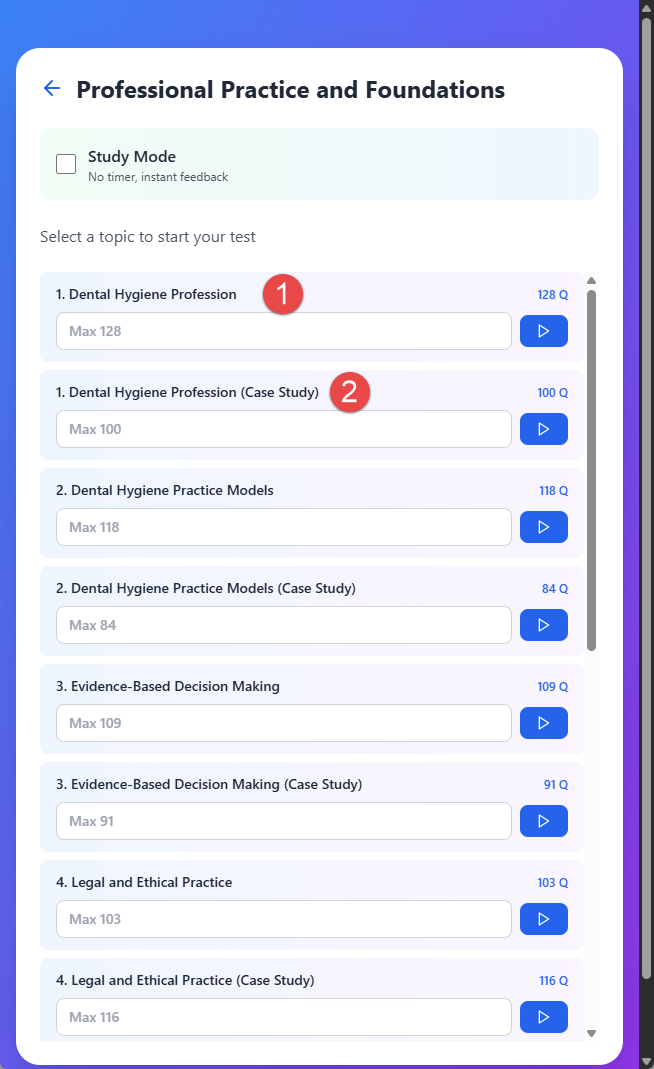
Starting a Board Exam Test:
Board Exam Structure
When you click a Board Exam subject, you can start a test in the same way as the Lesson's subject. The only difference is that the Board Exam has two sets for each topic:
- Normal Questions — Standard test questions
- Case Study Questions — Clinical scenario-based questions