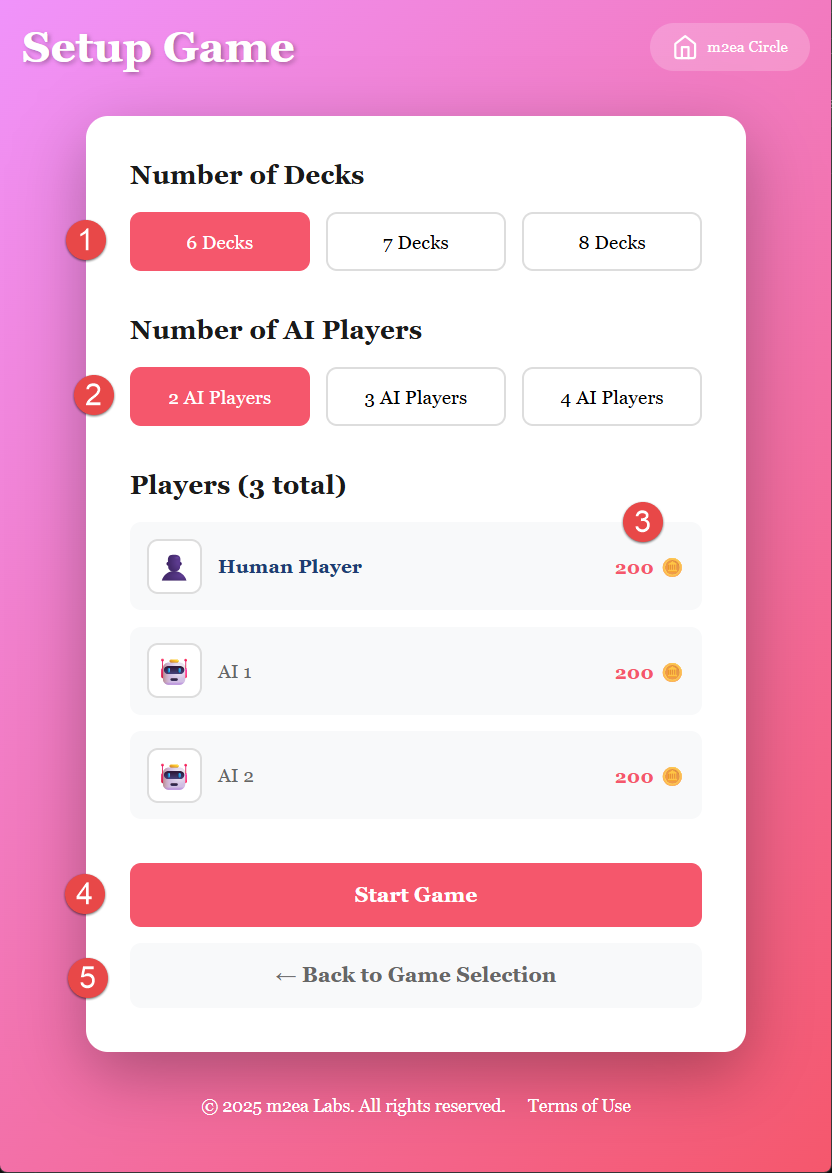
Configure Your Game:
1. Select Card Decks' Numbers
Choose the number of card decks to use in the game. More decks increase the house edge and make card counting more difficult.
2. Select AI Players' Numbers
Choose how many AI players will join the game. These computer-controlled players will play alongside you at the table.
3. Starting Coins
Blackjack Regular's default coins are 200. If you lose all your coins, you can't play within 24 hours. After 24 hours, you will receive a new set of 200 coins.
4. Start the Game
Once you've configured your settings, click to start the game and proceed to the betting phase.
5. Return to Game Selection
You can move back to the game selection screen if you want to choose a different game or review the rules.
Important Notes:
Make sure to configure your preferred settings before starting. The coin limit is designed to encourage responsible gaming and provides a natural break if you lose your coins.